The best virtual coworking setup is not the fanciest one. Most students do not need a second monitor, expensive lighting, or a perfect desk makeover. They need a setup that makes it easier to start, stay with one task, and avoid the tiny frictions that break concentration.
If you have ever joined a study call or online focus room and still ended up distracted, the problem may not be motivation alone. Sometimes the setup itself is working against you. Maybe your phone is still within reach. Maybe your tabs are chaotic. Maybe the room is noisy. Maybe your camera choice makes you more self-conscious than accountable.
This guide breaks down the best virtual coworking setup for students in a practical way. You can use it whether you study from a dorm, bedroom, kitchen table, library booth, or shared apartment.
Short answer: keep the setup simple and low-friction
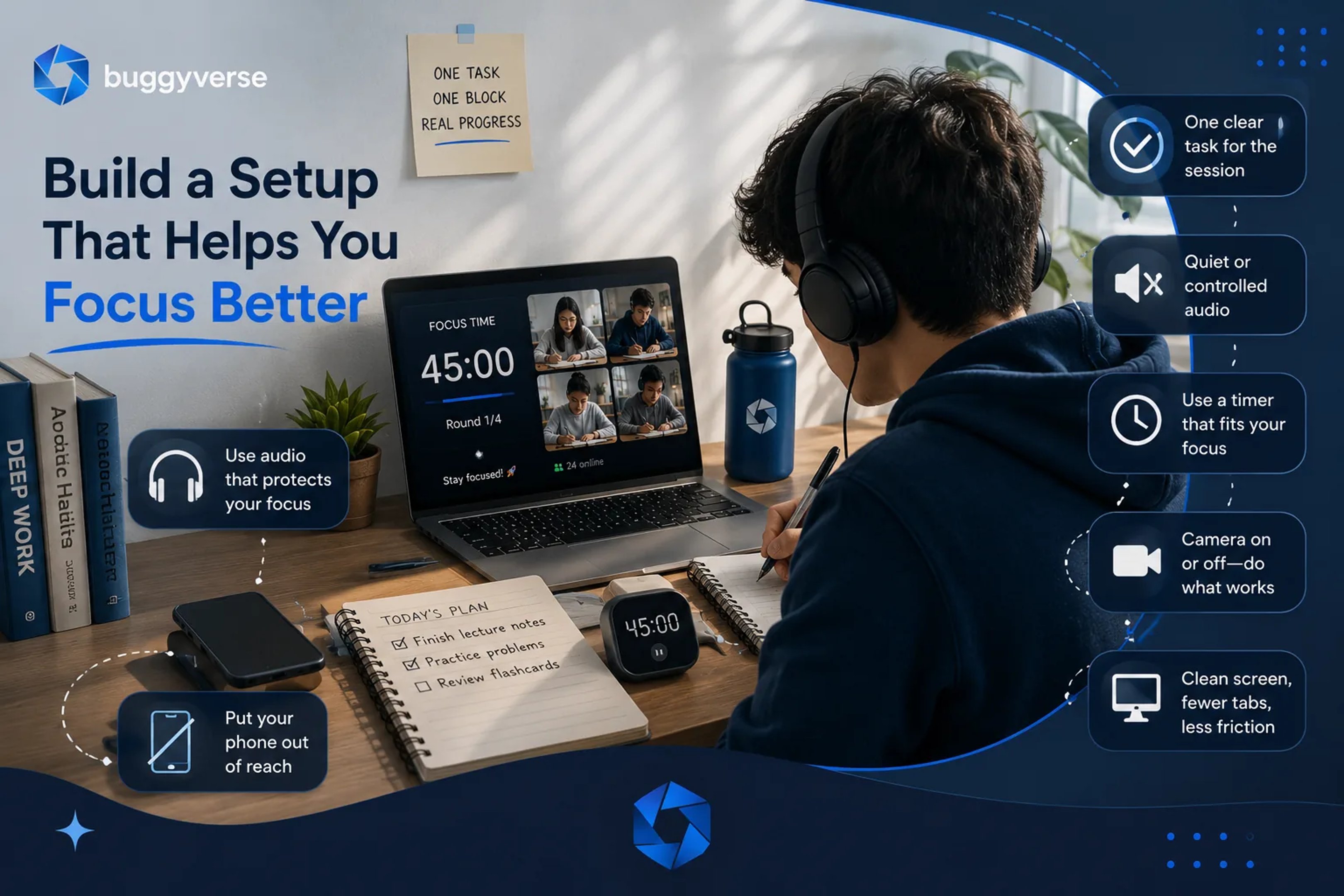
A student-friendly virtual coworking setup usually includes:
- one clear task for the session,
- a quiet or controlled audio environment,
- a phone placed out of reach,
- a visible timer for focus blocks,
- a comfortable camera choice if the room uses video, and
- a clean screen with only the tabs and documents you actually need.
The goal is not to look productive. The goal is to reduce the number of decisions and distractions between you and the work.
1. Start with the desk setup that removes excuses
Your physical setup matters because it changes how easily you can begin. A good virtual coworking desk setup should feel ready enough that you can sit down and start within a minute or two.
Try this minimum version:
- your laptop or tablet at eye level if possible,
- a charger connected before the session starts,
- water nearby,
- one notebook or scratch paper, and
- only the materials for the current subject on the desk.
If your desk is crowded, do not wait for a full room makeover. Just clear a small working zone. Students often lose momentum by treating setup as a separate project. The better move is to create a desk that is "good enough" and repeatable.
2. Use audio that protects focus instead of draining it
Audio is one of the biggest make-or-break factors in virtual coworking. Even a well-run room becomes harder to use if the sound environment is chaotic.
Choose one of these three modes:
- Silent room plus your own headphones. Best if you need deep concentration or you are easily pulled into other people’s conversations.
- Low ambient room sound. Good if total silence feels too sharp and you work better with light human presence.
- Soft background instrumentals. Useful for repetitive homework, review sessions, or reading blocks.
If you are in a shared home or dorm, headphones are often the highest-value upgrade you can make. They do not need to be premium. They just need to reduce unpredictability.
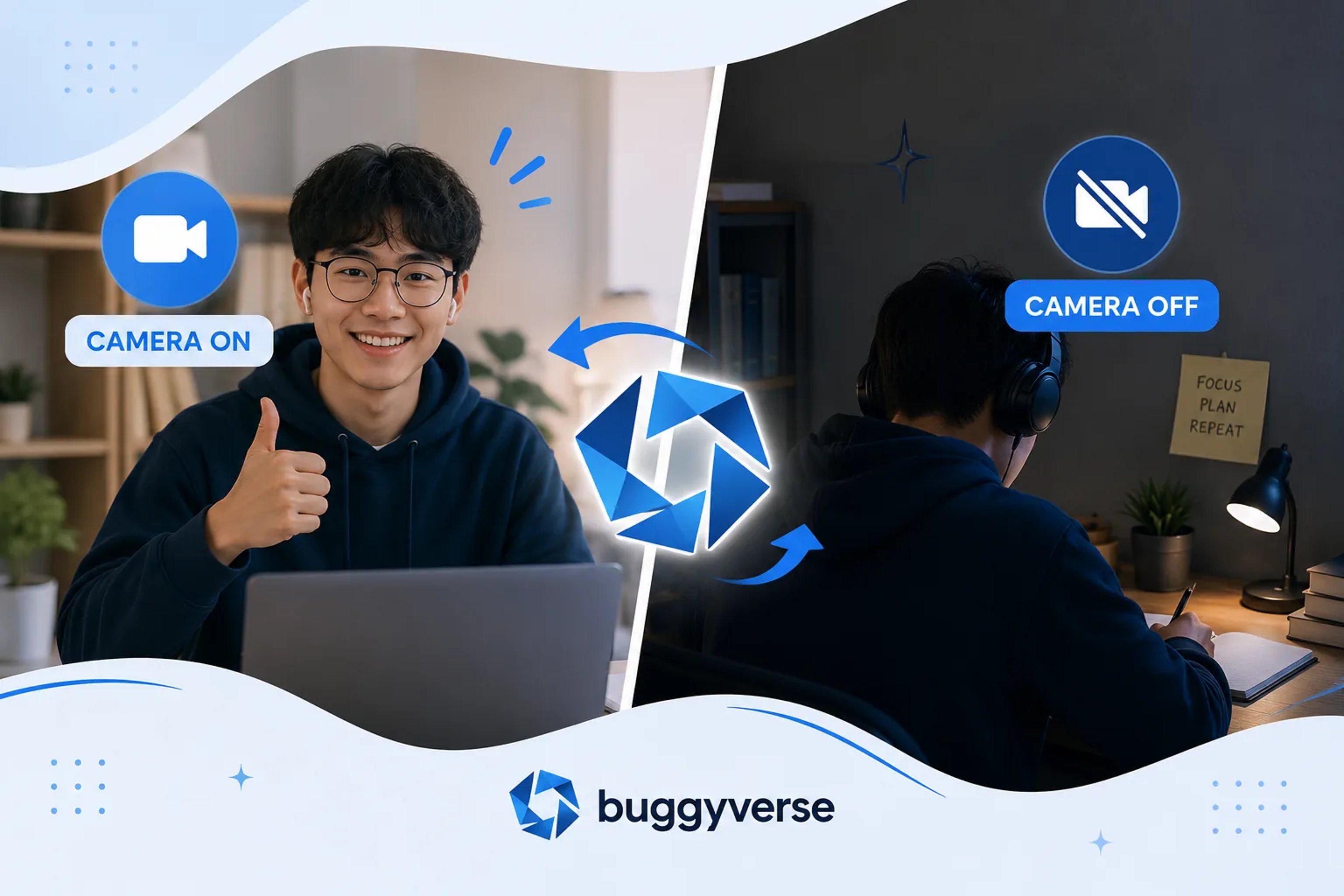
3. Decide on camera-on or camera-off before the session begins
Many students waste energy debating camera settings in the middle of a session. Make that decision early.
Camera on can help if you procrastinate at the start, drift when nobody can see you, or benefit from body doubling.
Camera off can help if video makes you self-conscious, your internet is unstable, or your study space is private or messy.
The important thing is not following someone else’s preference. It is choosing the format that makes the session easier to sustain. A setup that feels slightly less impressive but much easier to repeat will usually beat the "ideal" setup you avoid using.
4. Keep your screen brutally clean
Virtual coworking only helps if your screen supports the task. If you join a room with twelve open tabs, nonstop notifications, and three unrelated apps running, the room cannot save you.
Before each session, do this 60-second reset:
- close every tab that is not part of the current assignment,
- turn on Do Not Disturb,
- log out of the most distracting sites if needed,
- open the document, textbook, or problem set you will use first, and
- put your task in a visible spot, like a sticky note or the top of your notebook.
This matters because attention leaks in small ways. The less visual noise you leave on your screen, the less often your brain has a chance to switch tracks.
5. Use a timer that matches the kind of studying you are doing
Not every subject works best with the same focus block length. Good virtual coworking setups use time blocks that fit the task instead of forcing one rhythm for everything.
Try these starting points:
- 20 to 25 minutes for difficult starts, low motivation days, or short review sprints,
- 40 to 50 minutes for reading, writing, and problem sets that need momentum,
- 60 to 90 minutes for deep work when you are already locked in.
If you keep breaking focus early, shorten the block. If you are settling in well but the timer interrupts you too soon, lengthen it. The best setup is one that supports consistency, not one that looks hardcore on paper.
6. Put your phone far enough away that using it becomes a choice
One of the simplest fixes is also one of the most effective: move your phone out of reach before the session starts. Not face down on the desk. Not next to your keyboard. Across the room, in a bag, or on a shelf.
Virtual coworking works partly because it gives structure to your attention. But that structure collapses fast when your easiest escape route is still one thumb movement away.
If you need your phone for two-factor logins, music, or a timer, use it for that purpose first, then place it away again.
7. Match the room type to the kind of help you need
Different virtual coworking rooms solve different problems. Students often join the wrong kind of room and assume the method does not work, when really the format was mismatched.
Ask yourself what you need most:
- Need to start? Choose a room with visible accountability or clear session openings.
- Need calm? Choose a quieter room with fewer interruptions and lower social pressure.
- Need structure? Choose a timer-based room with predictable work and break cycles.
- Need companionship without talking? Choose a body-doubling style room where everyone is simply present and working.
The best virtual coworking setup is not just your desk or device. It is also the environment you join.
8. Build a pre-session routine that takes less than two minutes
Students who use virtual coworking well often have a tiny startup routine. Nothing elaborate. Just a repeatable sequence that lowers friction.
A simple example:
- write the one task you will do first,
- put your phone away,
- open only the needed tabs,
- join the room,
- start the timer,
- begin before you feel perfectly ready.
This works because routines reduce negotiation. You spend less time asking yourself whether you feel like studying and more time actually entering the task.
Common mistakes that make virtual coworking less effective
- Overbuilding the setup. If you think you need perfect gear before starting, you will delay the sessions that could already help you.
- Picking rooms that are too social for the work you need to do. Friendly energy is great until it turns into constant context switching.
- Using vague task lists. "Study chemistry" is harder to start than "finish pages 42 to 47 notes and do five practice questions."
- Keeping distractions within reach. A good room cannot protect you from a phone, chat app, and open entertainment tab all at once.
- Forcing a setup that feels performative. If camera-on, background music, or long timers look productive but make you avoid sessions, change them.
A realistic example setup for most students
If you want a practical default, try this:
- laptop plugged in,
- headphones on,
- phone across the room,
- one assignment written on paper,
- 40-minute focus block,
- camera off unless you need accountability,
- quiet virtual coworking room with a visible timer.
That setup is enough for a lot of students to study better today without buying anything new.
Final takeaway
The best virtual coworking setup for students is the one that makes focused work easier to repeat. Keep it simple. Remove friction. Match the room to the kind of support you need. Then test small adjustments instead of rebuilding everything at once.
If solo studying keeps falling apart, try one short session in an online focus room this week. A quiet room, one clear task, and a visible timer can be enough to make the work feel real again.